

Nieuwe functionaliteit: meer controle over je tracking mails
Jij bepaalt wanneer je klant een update krijgt
Track & trace mails zijn een van de eenvoudigste manieren om klanten gerust te stellen na een bestelling. Maar niet elke webshop wil op dezelfde momenten communiceren. Daarom kun je in Zineps nu zelf instellen op welke momenten je klant een update ontvangt. Eén gerichte mail of een volledig begeleid traject: jij kiest.
Wat is er nieuw?
Voorheen lag het ritme van de updates grotendeels vast. Met de vernieuwde tracking-instellingen bepaal je per moment of je klant een e-mail krijgt. Je kunt kiezen voor een update tijdens het sorteerproces, bij aflevering, bij een leveringsprobleem of bij het aanmaken van een retour. Elke combinatie is mogelijk, van één enkel contactmoment tot een mail bij elke stap in de bezorging.
Belangrijk om te weten: de updates die de vervoerder zelf verstuurt staan hier los van. Die blijft je klant gewoon ontvangen. De instellingen in Zineps bepalen alleen de mails die jij vanuit je eigen merk verstuurt.
Waar vind je het?
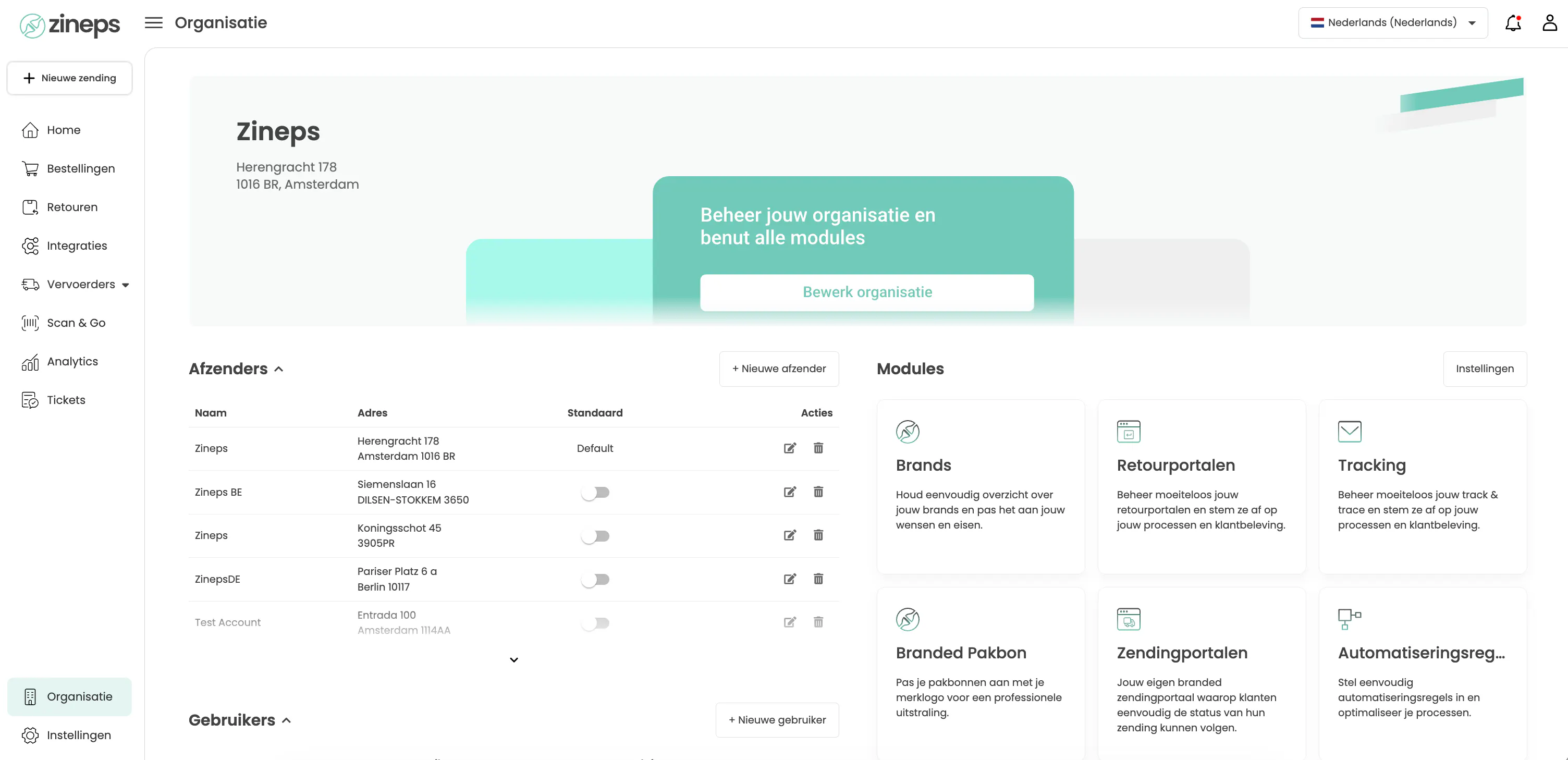
Ga naar Organisatie en open de module Tracking. Je komt dan in het Track & Trace-scherm, met aan de linkerkant de instellingen en aan de rechterkant een live voorbeeld van de mail.
Zo stel je het in
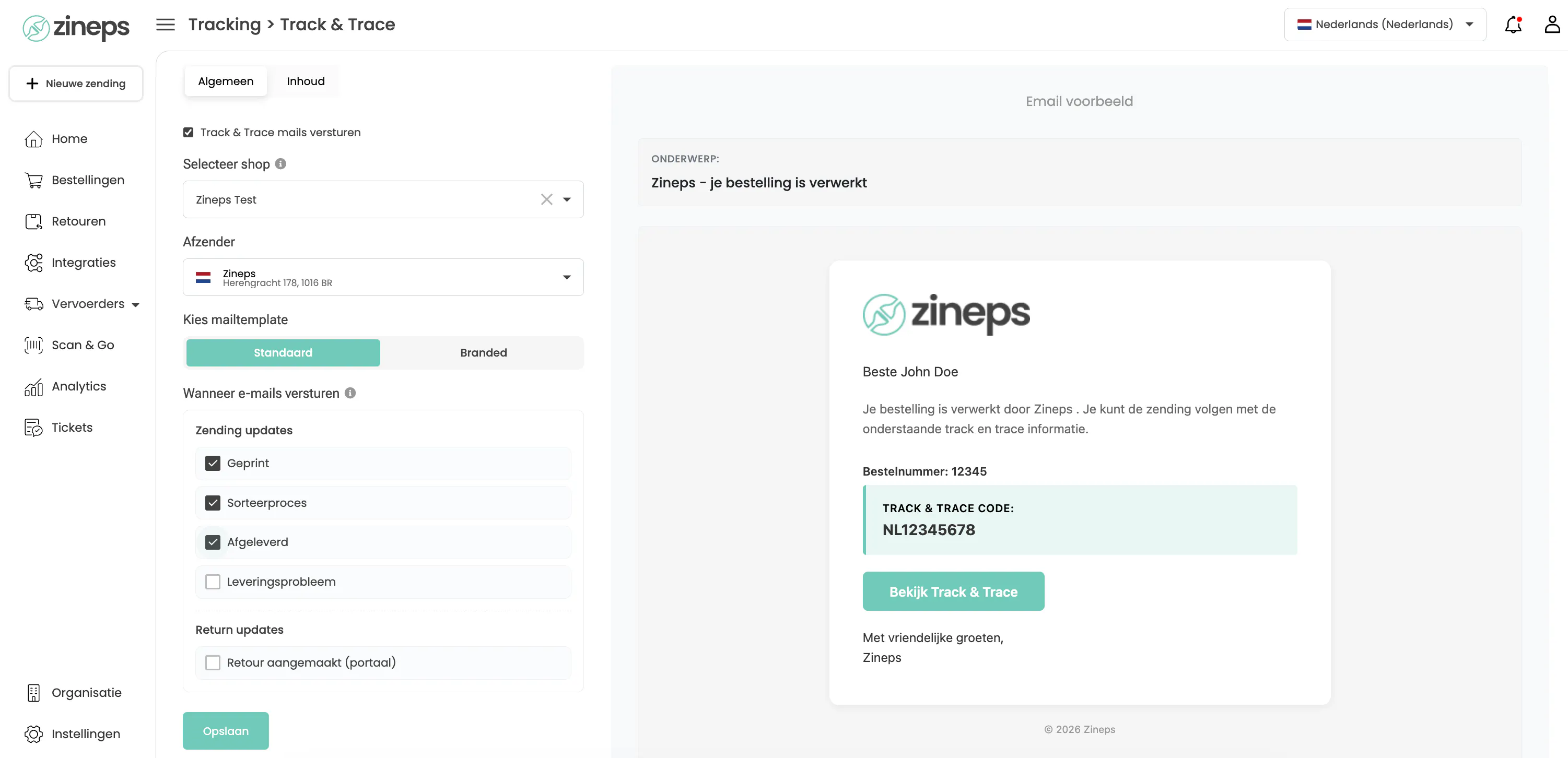
Op het tabblad Algemeen zet je eerst de schakelaar Track & Trace mails versturen aan en kies je de shop en afzender. Daaronder, bij Wanneer e-mails versturen, vink je per moment aan wat je wilt: Geprint, Sorteerproces, Afgeleverd en Leveringsprobleem onder Zending updates, en Retour aangemaakt (portaal) onder Return updates.
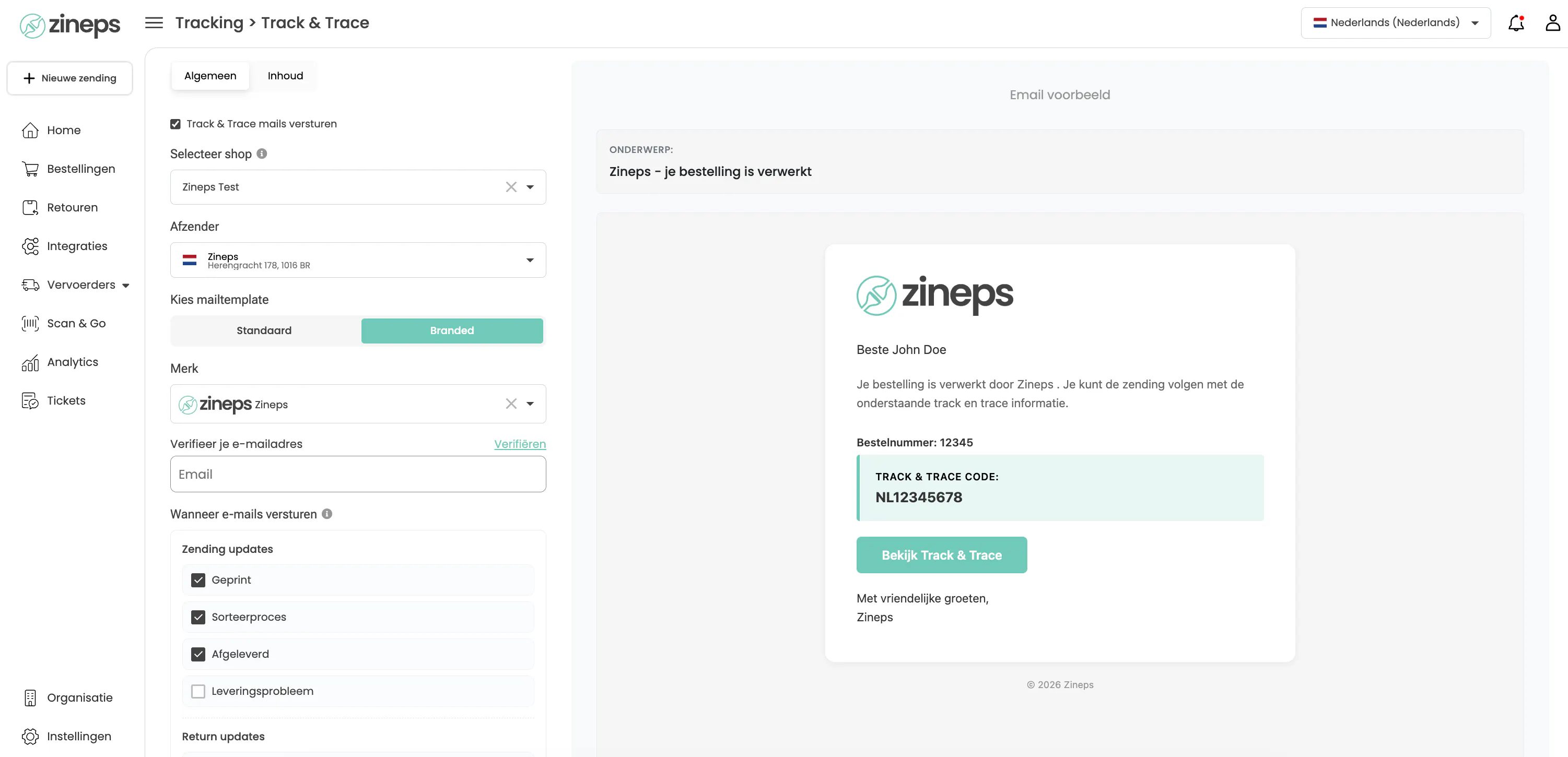
Bij Kies mailtemplate bepaal je nog of je de standaard mail of een Branded variant met je eigen merk en logo gebruikt.
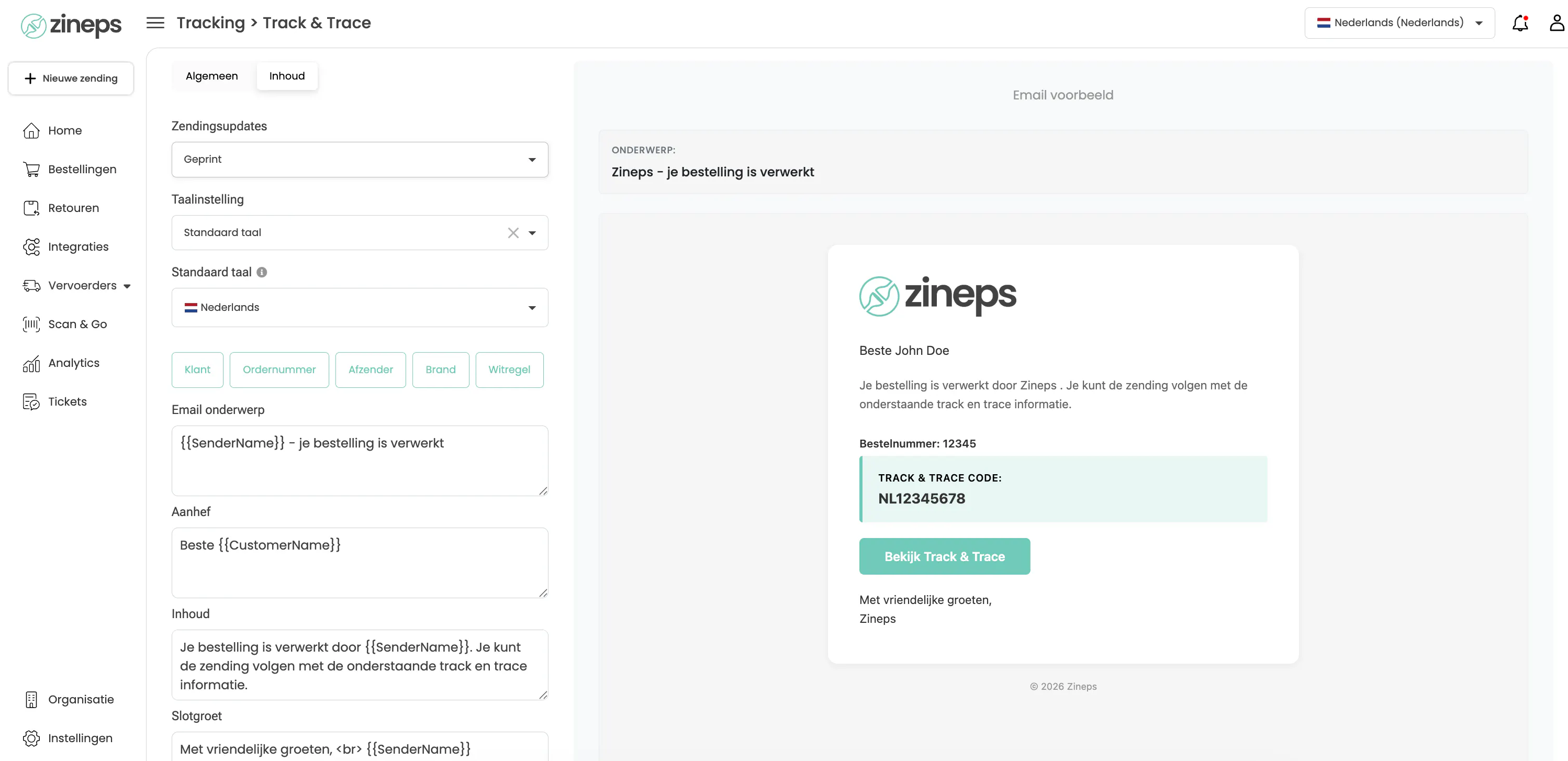
Heb je voor Branded gekozen, dan pas je op het tabblad Inhoud ook de tekst van de mail aan: het onderwerp, de aanhef, de inhoud en de slotgroet. Met de variabelen zoals {{SenderName}} en {{CustomerName}} blijft alles automatisch persoonlijk. Bij de Standaard template kun je op het tabblad Inhoud alleen het update-moment en de taal kiezen; de teksten liggen daar vast.
Wil je tracking helemaal niet gebruiken? Zet de schakelaar uit en er worden geen tracking mails vanuit Zineps verstuurd.
Waarom dit handig is
Niet elke klant zit te wachten op een mail bij elke stap, en niet elke webshop wil dezelfde frequentie. Door zelf te kiezen houd je de communicatie passend bij je merk: rustig en gericht, of juist volledig begeleid. Je voorkomt overbodige mails en zorgt tegelijk dat klanten op de momenten die ertoe doen precies weten waar hun bestelling is.
Open de Tracking-module en stel je voorkeuren in een paar klikken in.